Help
Guides for Studio and Taper.
How to run Studio in the booth, and how to follow along or host a gathering with Taper. Can't find it here? Write to hello@synkeet.com. Or watch the tutorials, about a minute each.
Studio
Running the booth. Steward, the assistant inside Studio, answers from these guides too.
- VideoSigning inHow to sign in to Studio, create or join a church, sign out, and what happens when a sign-in ends mid-service.
- 7 videosThe Studio boothSynkeet Studio is the booth app you run on the computer that drives your screens.
- VideoConnecting Synkeet to your sound systemSynkeet listens for scripture in what is said, so what it hears matters more than anything else in the booth.
- VideoProjecting a verse by handDetection is a convenience. Every verse can be put up by hand, on every plan, whether or not the microphone is open.
- VideoSermon prep and how detection uses itHow to build a service plan before the service, and how the booth uses your prepared passages to hear verses more reliably.
- TranslationsWhich Bible translations your church can project, how to turn them on, and how licensed ones connect and are credited.
- 2 videosOutputsAn output is one destination for scripture: a projector or screen, a stage monitor for the speaker, or a browser source for your livestream.
- 2 videosConnecting Synkeet to your screens and streamEach output in Synkeet is one destination: a projector or TV in the room, a stage display for the speaker, or a graphic for your livestream.
- VideoOutput themes, layouts and the QR slideHow your screens look: themes, motion, layouts, the idle screen and the QR slide for phones.
- 2 videosBrowser sources: how the link worksEvery output has its own hosted link, of the form taper.synkeet.com/live/your-church/output-name.
- VideoLivestream overlayPut the verse over your livestream video as a transparent layer your streaming software composites.
- Aura: reading the verse aloudAura reads the verse on air in a natural voice, for a room without a reader or for the stream.
- Two operators in one boothThis guide is for churches where two people run Studio at once: who holds the microphone, what is shared between the two computers, and what a second operator can change.
- Ending a service and the summaryHow a service starts and ends in Studio, what the wrap-up shows, and how to write and publish a summary for the congregation.
- When the internet is unreliableHow Studio keeps working when the connection is weak or gone, and what to set up before a service in a room with poor internet.
- VideoPlans, usage and limitsWhat each plan includes, how listening time, credits and licensed lookups are counted, and what happens when one runs out.
- Steward: help inside StudioSteward is the guide built into Studio. It answers from these operator guides, files problem reports and keeps notes during a service.
Taper
Following a service on your phone, and joining or hosting a gathering.
- VideoFollowing your church's serviceWhen your church runs Synkeet Studio, each verse it puts on its screens appears on your phone as it goes up.
- Joining a gatheringA gathering is a Bible study, small group or fellowship led from Taper by a host.
- Hosting a gatheringLead a Bible study, small group or fellowship from Taper: start a gathering, share its code, and every passage you send lands on every phone in the room at once.
- Your Taper accountFollowing a service or joining a gathering never needs an account. An account keeps your saved verses and notes on every device, and you need one to host a gathering.
- Troubleshooting TaperMost problems on a phone come down to the connection, the code, or a room that has not put anything up yet.
Watch how
Getting started with Synkeet, a minute or so at a time. Each guide above that has a video opens with it.
 Play all
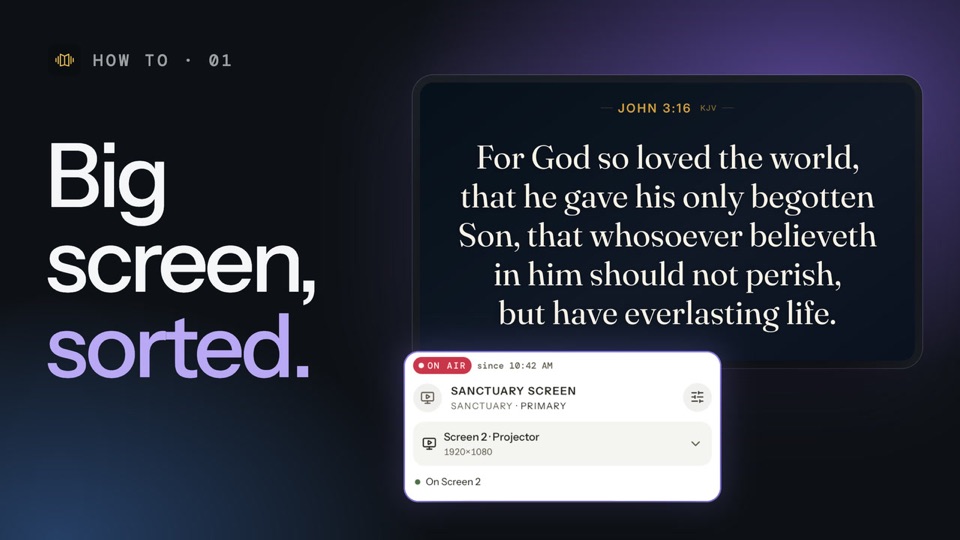
- Show your verses on the big screen
- Add more screens
- Put a verse on the screen
- Start listening to the sermon
- Choose Auto or Manual
- Get your church following on their phones
- Add slides to your service
- Plan your service before Sunday
- Put a countdown on the screen
- Play a video on your screens
- Put two pictures side by side
- Add your team
- Put verses on your livestream