Studio
Output themes, layouts and the QR slide
Watch it
How your screens look: themes, motion, layouts, the idle screen and the QR slide for phones. This guide is for the operator or admin who styles the outputs.
Themes
Every output has a theme, set in Admin, Outputs under the output's Theme.
The booth's own picker, Booth settings, Appearance, Stage, changes the primary output's theme and re-projects what is on air, so you see the change in the room at once. An operator's pick is saved for the whole church too, so every booth and next Sunday's service keep it.
The stage layouts are the exception. A stage display on Current + next + clock, Reference glance or Live | Preview is always white on black, so it has no theme to choose.
Included on every plan
| Theme | What it is |
|---|---|
| Midnight | The default, still. |
| None | A plain screen. |
| Obsidian | Near-black, still. |
| Linen | Warm paper for a bright room; the one light theme. |
| Candlelight | One low light, breathing. |
| Gentle Snowfall | Falling snow. |
The Growth library
On Growth and Network: Mountain Mist, Living Water, Golden Embers, Deep Ocean, Leaves of Rest, Signal, Crimson Altar, Holy Fire, Stained Glass, Morning Light, Ink Wash, Vineyard, Starlit, Celestial Nebula and Sparkle Dust.
Below Growth these show a lock in the picker, and a screen set to one falls back to Midnight.
Motion
Themes with motion (snow, embers, mist, stars, a candle flame and so on) move on screen when Live motion is on (Booth settings, Appearance, Stage).
- Motion is included from Starter. On Free every theme projects still.
- The booth's monitors show a quieter rendition.
- Live motion also plays a slide deck's move from one slide to the next (Fade, Slide up and the rest). With it off, slides cut.
Layouts
Each output has a Layout, chosen in Admin, Outputs from the layouts made for its type.
| Output type | Layouts (a new output starts on the first) |
|---|---|
| Room screen | Full width, Reference rail, Lower band, Sermon title + verse |
| Stage display | Current + next + clock, Reference glance, Live | Preview |
| Livestream | Lower third, Side panel, Full frame, Reference tag |
Verse ranges render like a Bible page: raised verse numbers in the theme's accent, text fitted to the screen.
- Show with the verse decides whether the translation is shown with the reference.
- A stage display's Show next verse decides whether the verse after it is shown.
- On Full width, Lower band and Sermon title + verse the reference is sized with the verse and follows Text size. Under a long passage it stays small so the verse keeps the room.
Earlier layouts
The layouts from before these (Centered verse, Full card, Quote card, Overlay card, Lower bar, Left panel, Current + next, Large text) still work. An output that is on one sees that one under Earlier layouts, with the current layout that replaces it named, and can stay on it.
Room screens that were on Centered verse moved to Full width in the November 2026 update.
Text size, typeface and reference
Booth settings, Appearance, also sets Text size, Typeface and Hide reference for the congregation screen.
| Typeface | What it does |
|---|---|
| Each layout's own | Fraunces on room screens, Inter on livestream graphics. |
| Inter on every output | Changes room screens only, since a livestream graphic is already in Inter. |
| Georgia on every output | Georgia everywhere. |
Logo and idle screen
While nothing is on air, a room screen or a stage display shows the church logo and its Idle message under it, both sized to the screen. The logo (Church logo in Admin, Outputs; PNG, JPEG or WebP up to 2 MB) shows on every output with Show church logo when idle on. With the logo off and no message it shows the theme and nothing else.
Your own logo on an idle screen is included from Starter. On Free, an idle room screen shows the Synkeet mark in its place, and a stage display shows the message alone. The logo you uploaded is kept for when you upgrade.
Good to know.
- A See-through output, and every livestream, shows nothing at all while it waits, on every plan. Admin offers a livestream no idle message or logo.
- That includes a Solid livestream's own window on the booth computer, which showed the theme with the message and logo until the November 2026 update.
- For a welcome screen on a screen or a switcher, use a room screen output.
The QR slide
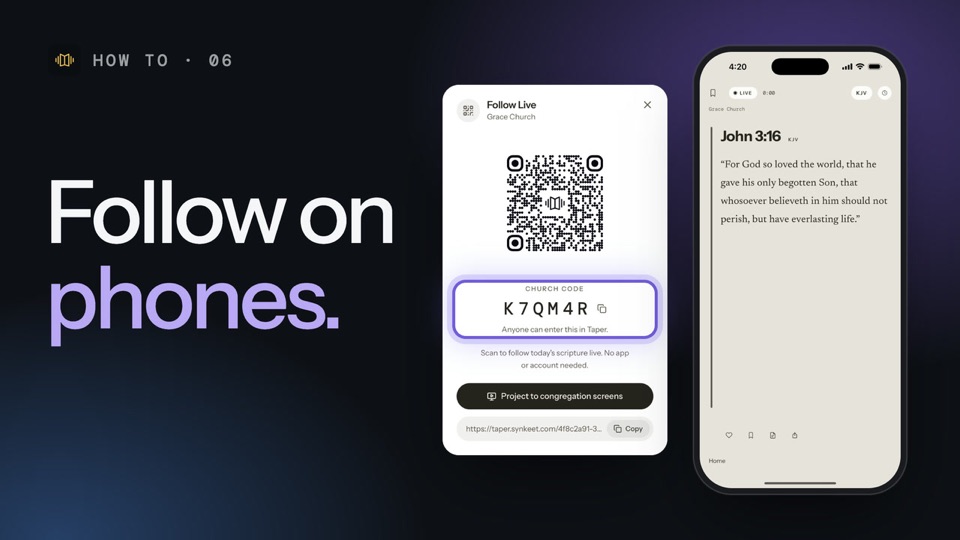
Follow live QR in the right rail's Output header shows the code the congregation scans to follow on their phones (taper.synkeet.com/your-church), and the church code they can type into Taper.
Project to congregation screens puts a "Follow Live" slide with the QR on every output in its own theme. Remove from screens takes it down.
Booth appearance
Booth settings, Appearance, Studio: light or dark, an accent palette, and, under Left column, Open panes by pointing for the strip beside it. This changes the console, never the screens.